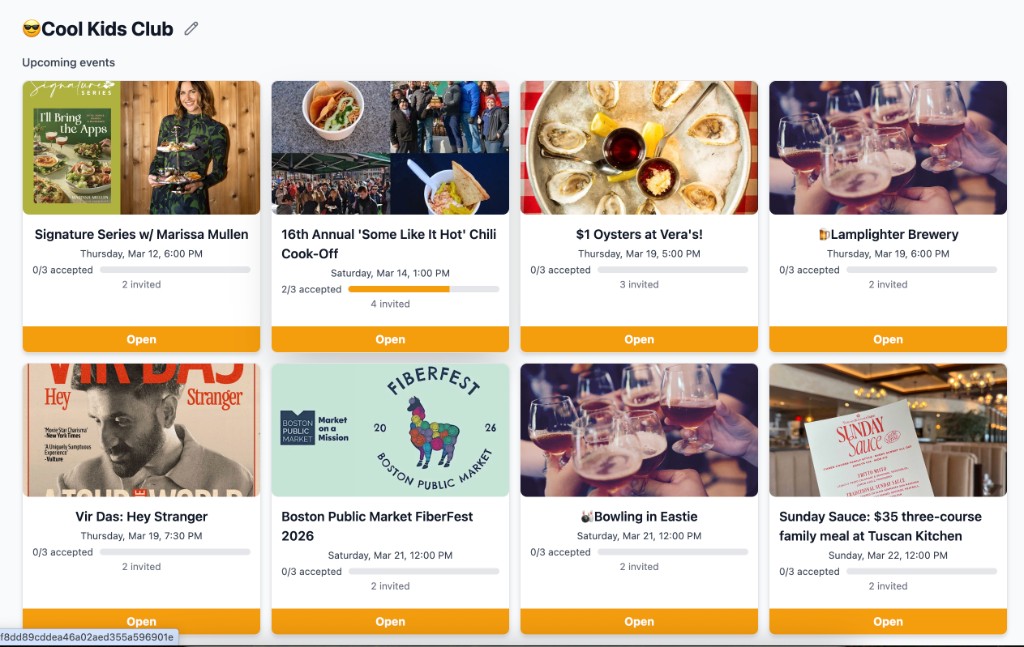
I’ve reworked the Groups section in Sipping Point into three clear areas: what’s coming up, how automatic suggestions work, and who’s in the group. The goal is to make it obvious how to set up automated events and to leave room for what we add next.
1. Upcoming events
This is the docket for the group—everything that’s already on the calendar. Suggested events that have hit their RSVP threshold show up here as confirmed; others stay in the list until they trip or get cancelled. One place to see what the group is doing.
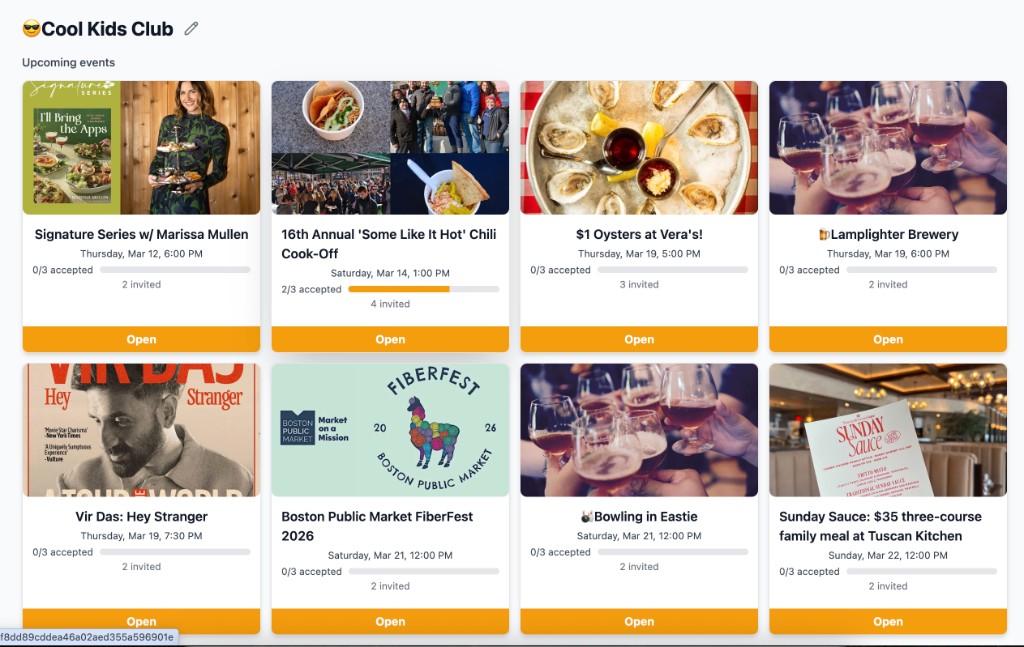
Upcoming events: what’s on the docket for the group.
2. Concierge
The Concierge is what sends automatic weekly recommendations (every Sunday afternoon). It’s split into two parts: New Events and Rituals.
New Events are events we find on public calendars—concerts, markets, tastings, etc. You tell the Concierge what you’re into (interests and dislikes), where you’re willing to go (pins on a map), and when you’re free (days and times). We use that to search for events in the next few weeks and suggest a set number each week. You also choose how far ahead to look and how many “yes” RSVPs are needed for an event to confirm.
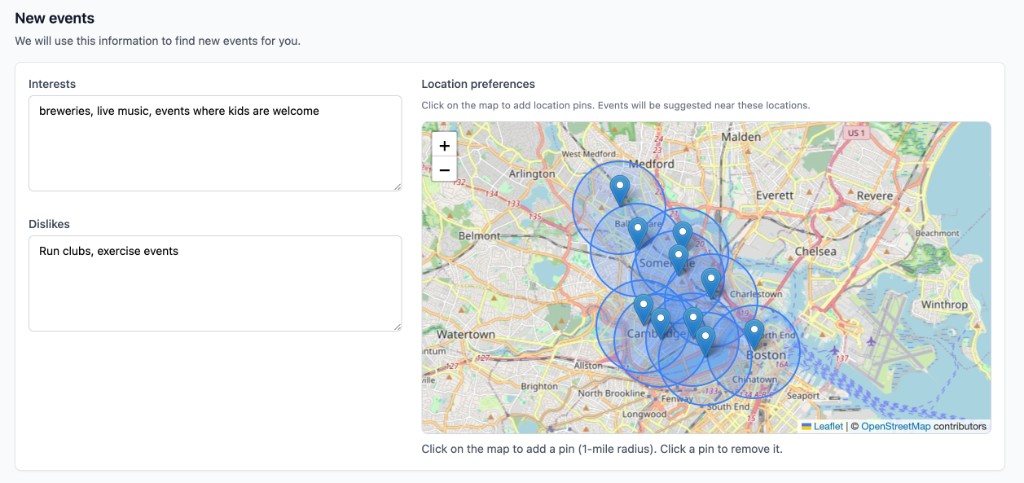
New Events: interests, dislikes, and where to look (each pin is a 1-mile radius).
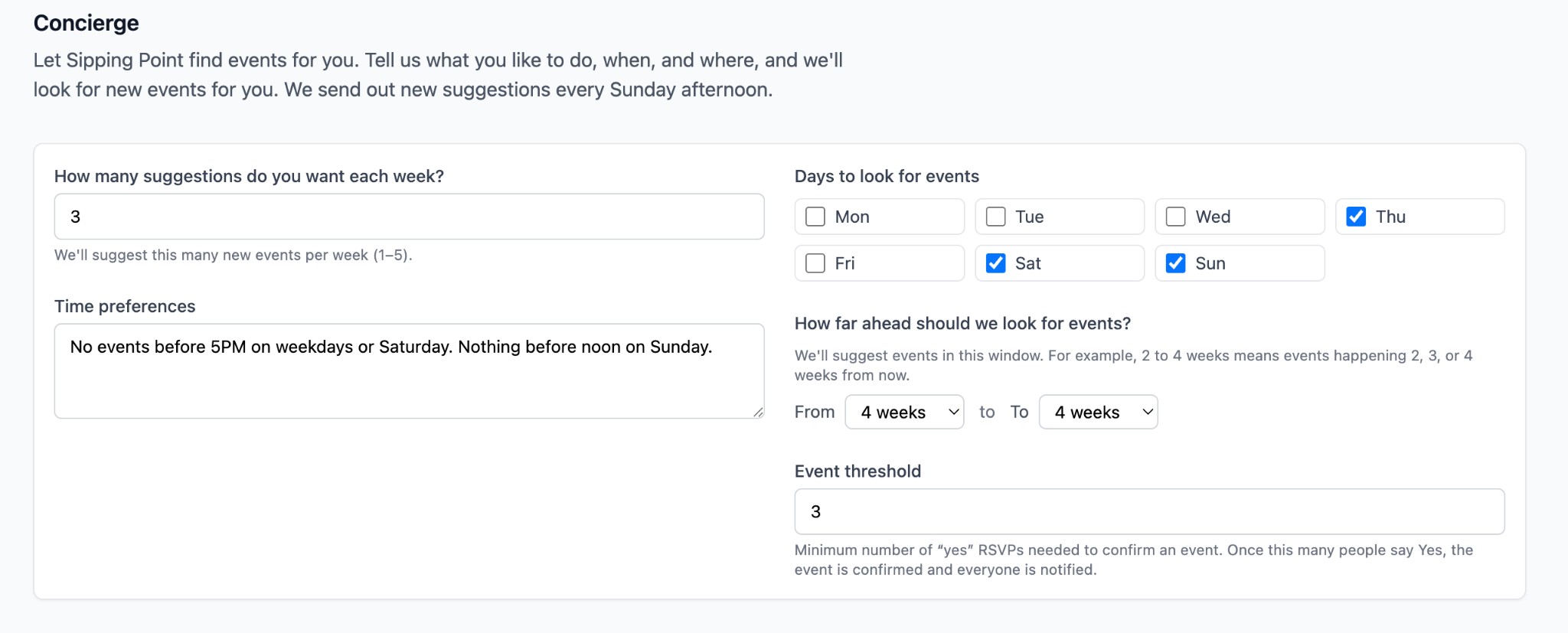
Concierge: how many suggestions per week, time and day preferences, how far ahead we look, and the RSVP threshold to confirm an event.
Rituals are event templates for things your group already likes—bowling, a favorite brewery, a bike ride, a hike. They’re not tied to a specific date; they have a place, a description, a cadence (e.g. twice a year, quarterly), and optional scheduling notes. Each week we mix a few rituals into the suggestions alongside New Events, so the digest isn’t only “stuff from the internet”—it’s also “stuff we already do.”
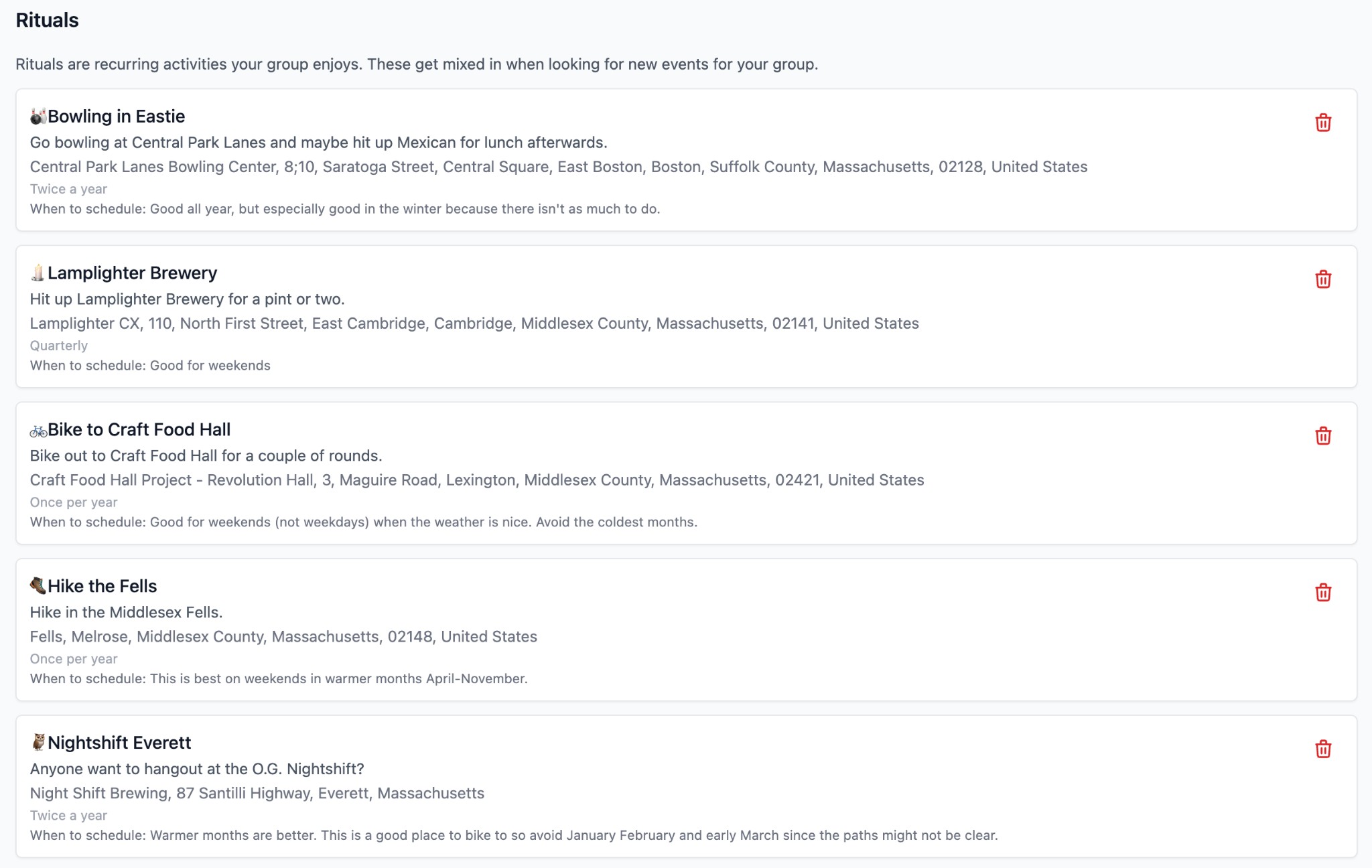
Rituals: recurring activities the group enjoys, mixed into the weekly suggestions on a cadence.
3. Members
Simple list of who’s in the group and their role (Owner, Admin). Owners and admins can manage the group; everyone can see who’s there. This is where we’ll hang more group-level settings and permissions later.
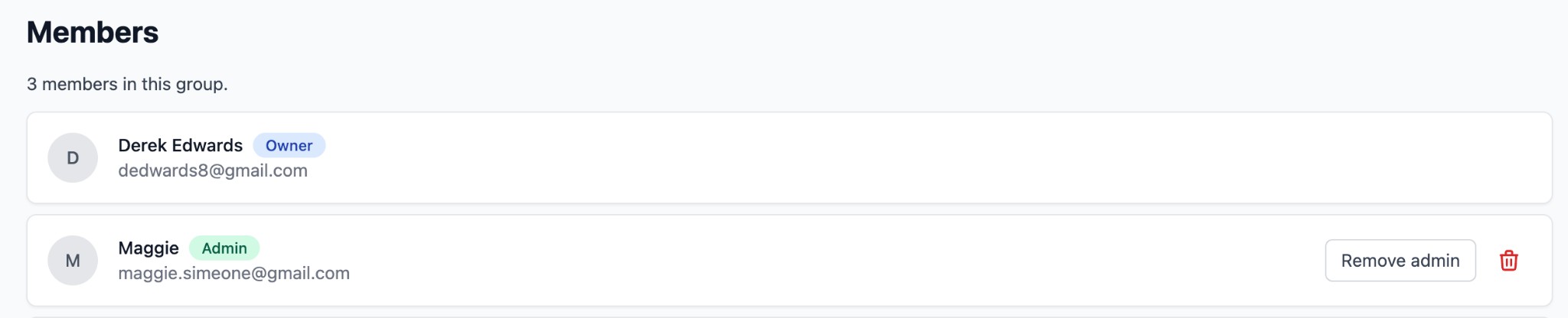
Members: who’s in the group and their role.
With these three sections, the flow is: see what’s coming up, configure how the Concierge finds and suggests events (new + rituals), and see who’s in the group. That should make automated setup clearer and give us a clean place to add more down the road.